Most people who buy the Puffco Pivot use two or three of its settings and never discover what else the device can do. That is not a criticism. The Pivot is designed to be approachable, and it works out of the box without any instructions. But there is more to it than the four visible heat settings, and the users who know the full picture get meaningfully better sessions.
The hidden mode is the part that surprises people most. Like other devices in the Puffco lineup, the Pivot has functionality built into the hardware that is not printed on the box or covered in the basic setup guide. It is accessible through a specific button sequence, and once you know it is there, it changes how you use the device.
This guide covers all of it. The hidden mode first, because that is what brought you here. Then, the heat settings in detail, draw technique tips, concentrate-to-temperature pairing, maintenance habits that actually matter, and a full troubleshooting section for the issues that come up most often. If you own a Puffco Pivot, this is everything you should know.
TLDR:
- Hidden Stealth Mode: accessed by holding the button for 15 seconds while the device is on. Disables the LED light display for fully discreet use. The device continues to function normally with no visual feedback.
- Four standard heat settings are indicated by LED color: White (lowest), Blue, Red, and Yellow/Green (highest). Each suits a different concentrate type.
- Draw length and pace matter more than most users realize. Slow, steady draws at lower temperatures produce better flavor than fast, hard pulls at high heat.
- The cold-start technique works on the Pivot and produces excellent flavor from fresh concentrates.
- Clean the chamber regularly. Residue buildup is the most common cause of degraded performance, and it is easy to prevent.
- The Pivot is a concentrate vaporizer. It is not designed for e-liquid or dry herb. Use it only with wax and concentrate materials.
What the Puffco Pivot Is (and Is Not)
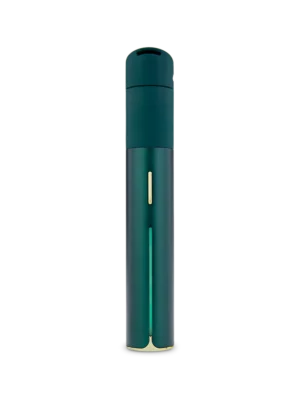
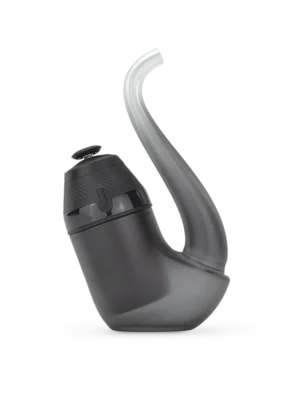
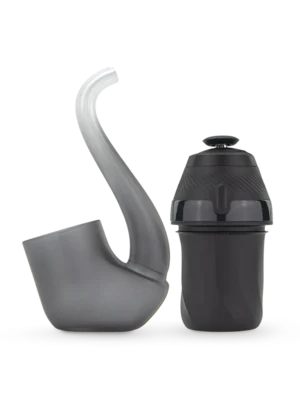
The Puffco Pivot is a portable electric dab device. It heats concentrates, including wax, shatter, badder, live resin, crumble, and similar materials, using a ceramic chamber. It is not a vape pen for e-liquid cartridges. It does not work with dry herb. If you are looking at it as a replacement for a standard vape, it is a different category of product entirely.
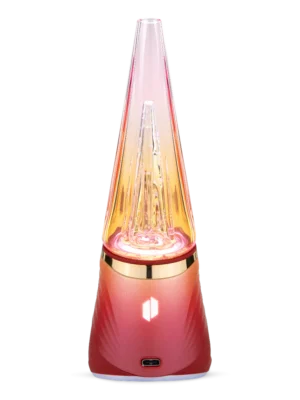
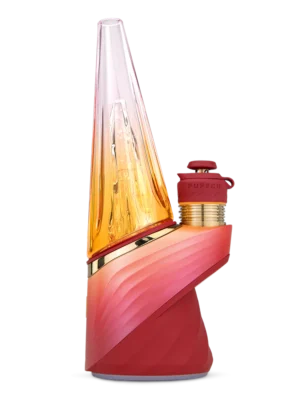
Puffco makes several concentrate vaporizers. The Peak and Peak Pro are tabletop-style e-rigs designed for home use. The Peak 3DXL is their highest-capacity option. The Proxy is a modular device. The Pivot sits at the portable end of the lineup, designed to be carried and used the way a traditional dab pen would be, but with Puffco’s heating technology and build quality built in.
Understanding what it is matters for getting the most out of it. The tips in this guide are specific to concentrate use. Heat settings, draw techniques, and loading advice all assume you are working with wax or concentrate materials, not anything else.
The Hidden Mode: Stealth Mode on the Puffco Pivot
The Pivot’s hidden mode is Stealth Mode. It disables the LED light ring entirely. The device heats and operates exactly as it normally would, but no light is visible during use. No session indicator, no heat-setting color, no charging light.
This is a practical feature, not a performance feature. The session quality does not change in Stealth Mode. The temperature setting you had active when you engaged it stays active. What changes is visibility. If you want to use the device without drawing attention to a light show, Stealth Mode removes that entirely.
How to Access Stealth Mode
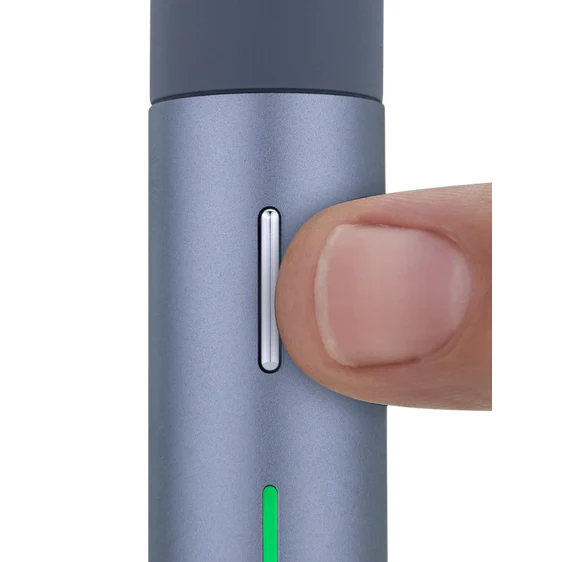
To activate Stealth Mode on the Puffco Pivot, hold the button for approximately 15 seconds while the device is on and in its idle state. The LED will pulse or flash to confirm the mode has engaged, and then go dark. The device is now in Stealth Mode.
To exit Stealth Mode, repeat the same sequence: hold the button for 15 seconds. The LED will return to normal operation. Your previous heat setting remains unchanged.
One thing to note: because the LED is off, you will not have visual feedback during a Stealth Mode session. Know your heat setting before you engage it. If you need to change settings, exit Stealth Mode first, adjust, then re-engage.
The Four Heat Settings, Explained
The Pivot uses four temperature settings, cycled through with a single click of the button. Each setting is indicated by an LED color. Lower numbers mean lower temperature. Higher numbers mean more heat, more vapor density, and less flavor precision.
The relationship between temperature and concentrate performance is worth understanding before you pick a setting by default. Lower heat preserves terpenes, which are the compounds responsible for flavor. Higher heat produces more vapor volume, but at the cost of some of that nuance. The right setting depends on what you are vaping and what you want from the session.
Setting | LED Color | Best Concentrate Type | Vapor Character | Who It’s For |
1 (Lowest) | White | Live resin, liquid concentrates, fresh terp-heavy wax | Light, flavorful, thin vapor | Flavor chasers, low-tolerance users |
2 | Blue | Badder, sauce, most wax varieties | Balanced vapor and flavor, good consistency | Every day use, moderately experienced users |
3 | Red | Shatter, crumble, harder concentrates | Denser vapor, less flavor nuance | Experienced users, harder materials |
4 (Highest) | Yellow / Green | Reclaim, older concentrates, maximum output sessions | High vapor volume, heat-forward | High-tolerance users, full-chamber loads |
Most new Pivot users start on Setting 3 because the denser vapor feels more satisfying in the first few sessions. The flavor improvements at Settings 1 and 2 become more noticeable once you have the draw technique dialed in. Try a session at White or Blue with a fresh, terpene-rich concentrate before deciding that low temperature is not for you.
Draw Technique Tips
The Pivot is button-activated. You hold the button and draw simultaneously. How you draw affects the session as much as the temperature setting does.
Draw Length
Three to seven seconds is the functional range for most sessions. Shorter draws at lower temperatures give you flavor-forward, lighter pulls. Longer draws at higher temperatures produce more volume. Do not pull for more than eight seconds continuously. The chamber needs a moment to keep pace with the heat demand on very long draws.
Draw Pace
Slow and steady. This is the most consistently repeated tip from experienced users, and it is correct. A fast, hard pull rushes air through the chamber before the concentrate has fully vaporized. You get cooler, less saturated vapor. A slow, controlled inhale lets the heated air work properly.
Puff Spacing
Let the chamber rest 20 to 30 seconds between draws during a session. Back-to-back pulls with no gap raise the chamber temperature beyond the intended setting and can produce a harsher result, even at a low heat selection. Spacing also lets the remaining concentrate re-saturate the coil surface between draws.
The Cap
If your Pivot came with a carb cap or similar accessory, use it. Capping the chamber restricts airflow and increases vapor density noticeably. It also keeps heat inside the chamber rather than losing it through the open top. Most experienced users cap every session at Settings 1 and 2, where vapor can otherwise feel thin.
Concentrate Type | Recommended Setting | Draw Length | Draw Style |
Live resin /sauce | 1 (White) | 3 to 5 seconds | Slow, steady, consistent pressure |
Badder / wax | 2 (Blue) | 4 to 6 seconds | Moderate pace, even pressure |
Shatter | 3 (Red) | 5 to 7 seconds | Slightly harder pull to clear chamber |
Crumble | 3 or 4 | 5 to 8 seconds | Consistent pull, check chamber mid-session |
The Cold Start Technique
Cold start is a loading method that produces exceptional flavor from fresh, high-quality concentrates. It is not specific to the Puffco Pivot, but the Pivot’s ceramic chamber handles it particularly well.
Standard sessions load concentrate into a preheated chamber. Cold start reverses this. You load your concentrate into the chamber before pressing the button, while the chamber is still at room temperature. Then you start the session, and the concentrate and the chamber heat together from cold.
Why It Works
Starting from cold gives the concentrate a longer low-temperature phase before the chamber reaches full operating temperature. This draws out terpene expression before the heat gets high enough to burn them off. The result is a noticeably more flavorful first draw compared to loading into a hot chamber.
How to Do It
- Load a small amount of concentrate directly onto the ceramic coil while the device is off or idle.
- Press the button to start the heat session.
- Begin drawing immediately as the chamber starts to warm, rather than waiting for it to reach full temperature.
- Use a low or mid heat setting (White or Blue) for best flavor results.
Cold start works best with fresh, terp-forward concentrates like live resin or sauce. Harder materials like shatter may not vaporize fully if you start drawing before the chamber reaches operating temperature.
Loading Tips
How much concentrate you load, and where you place it in the chamber, affects the session more than most users account for.
How Much to Load
Less than you think. Overloading the chamber is one of the most common mistakes on any dab device, including the Pivot. A rice-grain-sized amount is the right starting point for most concentrates. It sounds minimal, but the ceramic chamber is efficient. You will get full draws from a small load.
Overloading causes e-liquid to pool at the chamber base or climb the walls. It can clog the airpath, cause spitting or popping sounds during the draw, and waste material that never fully vaporizes. Start small and load again if needed.
Where to Place It
Center the concentrate on the coil surface. Avoid placing it on the chamber walls. Material on the walls sits away from the direct heat source and may not vaporize cleanly. It also contributes to residue buildup faster than properly placed center loads.
Maintenance and Storage
The Pivot rewards users who clean it regularly. A clean chamber produces better flavor and more consistent vapor output than one with residue buildup from previous sessions.
After-Session Burn
After finishing a session, run one short empty heat cycle with nothing in the chamber. This burns off any remaining residue before it cools and hardens. A 3 to 5 second heat at Setting 3 or 4 with no concentrate loaded, then let the chamber cool open. This single habit prevents most residue issues.
Cotton Swab Clean
After the after-session burn while the chamber is still warm, use a cotton swab with a small amount of isopropyl alcohol (90% or higher) to wipe the chamber interior. The residue comes off easily while warm. Do not apply alcohol to a hot chamber directly. Let it cool for 30 seconds from the burn before swabbing.
Deep Clean
If you skip regular maintenance and residue builds up, a deeper clean is needed. Remove the chamber from the device. Soak only the ceramic chamber portion in isopropyl alcohol for 20 to 30 minutes. Do not submerge any electronic components. Rinse with warm water and let dry completely before reassembling and using.
Storage
Store the Pivot upright. Do not leave concentrate loaded in the chamber between sessions. It hardens and contributes to buildup. Store in a protective case if you carry it.
Troubleshooting Common Issues
Issue | Likely Cause | Fix |
Weak or thin vapor | Temperature too low, or chamber needs cleaning | Try the next heat setting up; clean chamber if residue is visible |
Burnt or harsh taste | Temperature too high, or chamber is dry-firing on residue | Drop one heat setting; run an empty burn cycle to clear residue |
Device not heating | Battery low, or connection issue between device and chamber | Charge via USB-C; check chamber is seated properly |
Spitting or popping sounds | Concentrate loaded too heavily or too far up the chamber walls | Load less concentrate; center the load on the coil base |
Flavor drops off mid-session | Concentrate is spent, or chamber needs a cleaning cycle | Load fresh concentrate; clean chamber between sessions for best results |
LED flashing but no heat | Low battery or protective cutoff triggered | Charge device fully; wait 60 seconds, and try again |
Frequently Asked Questions
What exactly does Stealth Mode do on the Puffco Pivot?
Stealth Mode disables the LED indicator ring entirely. The device heats and operates normally, but no light is visible during use. It does not change the temperature setting, the session duration, or the vapor output. It is purely a discretion feature. Activate it by holding the button for 15 seconds while the device is on.
How do I switch between heat settings on the Puffco Pivot?
Single-click the button while the device is in its idle state to cycle through the four heat settings. Each click moves to the next setting in sequence. The LED color changes to indicate the active setting: White for the lowest, then Blue, then Red, then Yellow or Green for the highest. Another click after the highest setting cycles back to the lowest.
Can I use the Puffco Pivot with dry herb or e-liquid?
No. The Pivot is designed exclusively for concentrates: wax, shatter, badder, live resin, crumble, and similar materials. Using e-liquid in the ceramic chamber will damage the coil and produce poor results. It is not compatible with dry herb in any form.
How do I know when the Puffco Pivot battery is low?
The LED will typically flash in a pattern that differs from the standard heat-setting indication when the battery is low. The device may also cut off sessions early or produce inconsistent heating. Charge via USB-C when you notice either of these signs. Do not wait for the device to stop functioning entirely before charging.
Why does my Puffco Pivot taste burnt even on a low setting?
A burnt taste at low settings is almost always caused by residue from previous sessions coating the chamber. Run an empty heat cycle to burn off loose residue, then clean the chamber with a warm isopropyl-dampened swab. If the burnt taste persists after a full clean, try a smaller concentrate load placed directly on the coil center rather than against the chamber walls.
How does the Puffco Pivot compare to the Peak Pro?
The Pivot is a portable dab pen format designed for on-the-go use. The Peak Pro is a tabletop e-rig designed for home sessions, with a water attachment, app connectivity, and a more elaborate feature set. Both use ceramic chambers and Puffco’s heating technology. The Pivot trades some of the Peak Pro’s output capacity and features for a smaller, more portable form factor. The Peak 3DXL sits above both in terms of chamber size and vapor volume.
Final Thoughts
The Puffco Pivot is a capable device that most users underuse. The four heat settings cover a real range of concentrate types and session preferences. Stealth Mode is a useful feature once you know where it is, and the draw technique and loading tips in this guide make a noticeable difference in session quality, particularly at the lower temperature settings where technique matters most.
The biggest single improvement most users can make is cleaning more consistently. An after-session burn and a quick cotton swab takes 90 seconds and keeps the chamber performing at the level it was designed for. Everything else builds from there.
Shop the Puffco Pivot and the full Puffco lineup at Big Mo’s Online Smoke Shop.
-
 Rated 5.00 out of 5$219.99Select options This product has multiple variants. The options may be chosen on the product page220 point item
 -
$74.99 – $88.99Price range: $74.99 through $88.99Get notified This product has multiple variants. The options may be chosen on the product page75-89 point item
-
Rated 5.00 out of 5
$268.99Original price was: $268.99.$189.99Current price is: $189.99.Get notified This product has multiple variants. The options may be chosen on the product page190 point item -
Rated 5.00 out of 5
$129.99Original price was: $129.99.$109.99Current price is: $109.99.This product has multiple variants. The options may be chosen on the product page110 point item -
Rated 5.00 out of 5$349.99 – $449.99Price range: $349.99 through $449.99Get notified This product has multiple variants. The options may be chosen on the product page350-450 point item
-
Rated 5.00 out of 5
$420.00Original price was: $420.00.$274.99Current price is: $274.99.Get notified This product has multiple variants. The options may be chosen on the product page275 point item